Exploring the Accessibility Framework
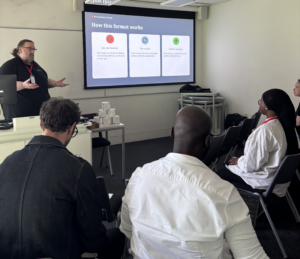
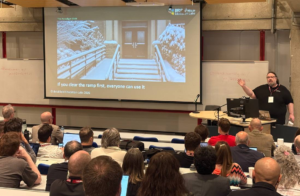
Earlier this month at MoodleMoot Global 2025 in Edinburgh, Scotland, accessibility took centre stage. Among the many inspiring sessions during the three-day conference, Gavin Henrick, Co-Founder of Brickfield Education Labs, delivered a talk entitled “Building confidence not just compliance: Exploring the 18-Point Accessibility Skills Framework”. Gavin redefined how we think about accessibility – not as a checklist, but as a confidence-building skill set that empowers both educators and learners.
Table of Contents

Why Accessibility is more than just ticking boxes
Accessibility is often framed around compliance, meeting legal requirements or following technical standards. While that’s important, Gavin reminded us that it is also about confidence; the confidence to design, create, and share content that works for everyone.
Confidence does not come from regulations alone, it comes from understanding the “why” and “how” behind accessibility decisions. The session encouraged participants to see accessibility as an opportunity to improve learning experiences for all, not just meeting legal requirements.
Inside the Session: Exploring the 18-Point Accessibility Skills Framework
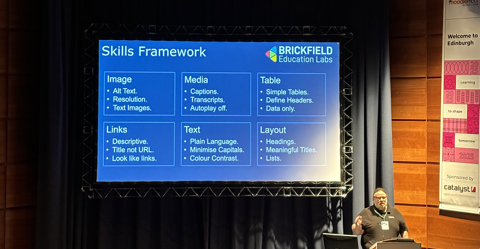
During the session, Gavin introduced attendees to the 18-Point Accessibility Skills Framework, a practical model developed by Brickfield Education Labs. The framework organises accessibility practices into six themes, each representing everyday skills that help make learning content more inclusive and effective for everyone.
Image
- Explain image in alt text.
- Good resolution and contrast.
- No text Images.
Media
- Closed captions for audio and video.
- Provide transcripts as well.
- Avoid autoplay.
Table
- Create simple tables.
- Define headers on columns and rows.
- Use tables only for data.
Links
- Descriptive and unique.
- Page title instead URL as link text.
- Links should look like links.
Text
- Plain language.
- Minimising capital usage.
- Colour contrast.
Layout
- Headings and in order.
- Meaningful titles.
- Bullet point lists.
This practical roadmap highlights how small, thoughtful choices can make learning materials easier to use and understand. These are not just technical adjustments, they are design habits that make courses more engaging, efficient, and user-friendly.
For example, closed captions, which viewers can turn on when needed, do not just support learners who are deaf or hard of hearing. They also benefit people watching in noisy environments, studying in another language, or preferring to read along. Importantly, captions differ from transcripts: captions provide a real-time version of the spoken audio, while transcripts offer a full text version that learners can review, highlight, or annotate later. Both add flexibly and improve comprehension.
Equally valuable is learner control. Allowing students to decide when to play a video, rather than using autoplay, respects their focus, bandwidth, and accessibility needs. Empowering learners to choose how they engage with content reinforces student agency and supports a more meaningful, flexible learning experience.
Each of these skills supports accessibility for learners using assistive technologies, as well as those with disabilities, learning difficulties, or who are neurodivergent. However, they also improve usability and clarity for everyone, making content easier to navigate and engage with, regardless of a person’s needs, context, or device.
To help attendees reflect on their own accessibility confidence, Gavin introduced the Brickfield Accessibility Self-Assessment Tool. This interactive tool allows educators to assess their confidence across the eighteen skills, receive personalised feedback, and identify practical next steps for improvement.
As Gavin explained, layout consistency and descriptive links are not just technical details – they directly influence how easily people engage with content. When design choices prioritise clarity and flexibility, learning becomes smoother, faster, and more enjoyable for all.
Framework in Your Hands: From Theory to Practice
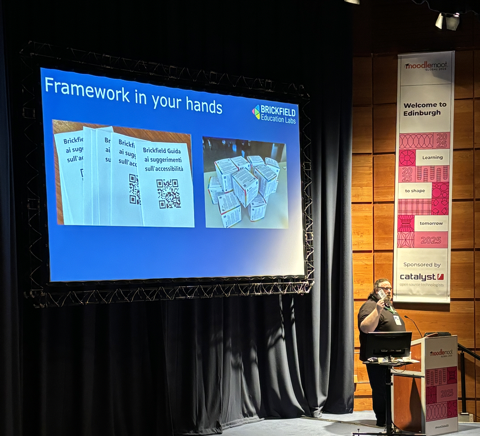
To make the framework even more engaging, Gavin introduced two creative resources: the Brickfield Accessibility Tip Zine and the Accessibility Tip Cube.
- The Zine serves as a pocket-sized guide packed with practical reminders you can flip through anytime. You can download our Accessibility Tips printable zine.
- The Cube transforms the eighteen skills into a tactile, interactive learning tool – participants loved twisting it around, sparking conversations and “aha” moments of accessibility in action. Order the Accessibility Tip cubes online.
These playful yet purposeful tools turned what could be a complex topic into something tangible and memorable. The message was clear: accessibility can be approachable, engaging, and even fun!
Key Takeaways
Attendees left the session with:
- A clear understanding of the 18-point Accessibility Skills Framework.
- Practical knowledge of inclusive design techniques.
- A personalised reflection of their own strengths and areas for improvement.
- Access to resources like the Accessibility Tip Zine and Feedback Report.
Most importantly, attendees left with renewed confidence – ready to apply these skills immediately within their own learning environments.
Accessibility as an ongoing journey
As Gavin concluded, accessibility is not a destination – it is a continuous journey of improvement and awareness. By shifting the focus from compliance to confidence, educators and institution can build digital learning spaces that are flexible, inclusive, and empowering for every learner. If you missed the session, you can watch Gavin’s full presentation on YouTube. For an overview of the sessions and highlights from the event, read our MoodleMoot Global 2025 recap post.
Explore your own accessibility confidence today! Take the self-assessment, download the zine, and join the growing community of educators shaping more inclusive learning for all.