Skip to content
Home » Guides

Guides

Who needs transcripts? Online Training & Accessibility.

Transcripts Are Not a Nice-to-Have. They Are the Session.

  • 11 min read

Online training without a transcript is not fully accessible — it never was. When a session ends with no written record, it quietly excludes a significant proportion of learners: people who are Deaf or hard of hearing, those with auditory processing differences, ADHD, working memory difficulties, non-native speakers, and many others. Most of these needs are invisible to a facilitator; participants won’t announce them, they’ll simply get less from the session — or not attend at all. Transcripts aren’t a special accommodation. They’re part of how good training works.

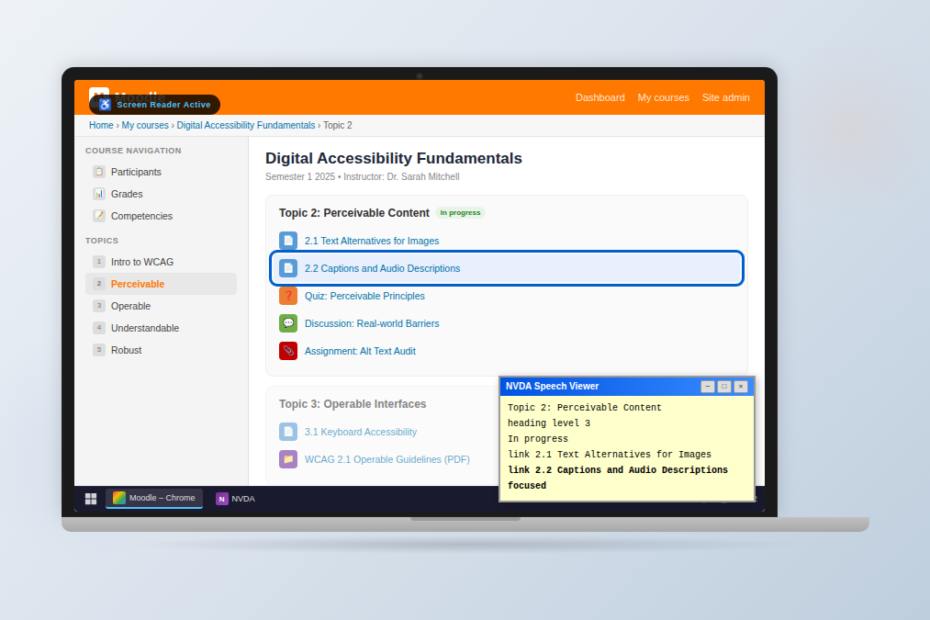
a laptop with a Moodle course ("Digital Accessibility Fundamentals") with the NVDA Speech Viewer open showing screen reader output, a blue focus ring on the current activity, and a Windows taskbar.

Why Accessibility Overlays Fail

  • 9 min read

Accessibility overlays promise a fast, low-cost path to compliance — but growing evidence from regulators, accessibility experts, and disability organisations shows they often fail to deliver. This article examines why overlays don’t fix underlying accessibility barriers, how they can interfere with assistive technologies, and why legal and regulatory bodies increasingly reject them as a compliance solution. More importantly, it outlines what genuine, sustainable digital accessibility actually requires.

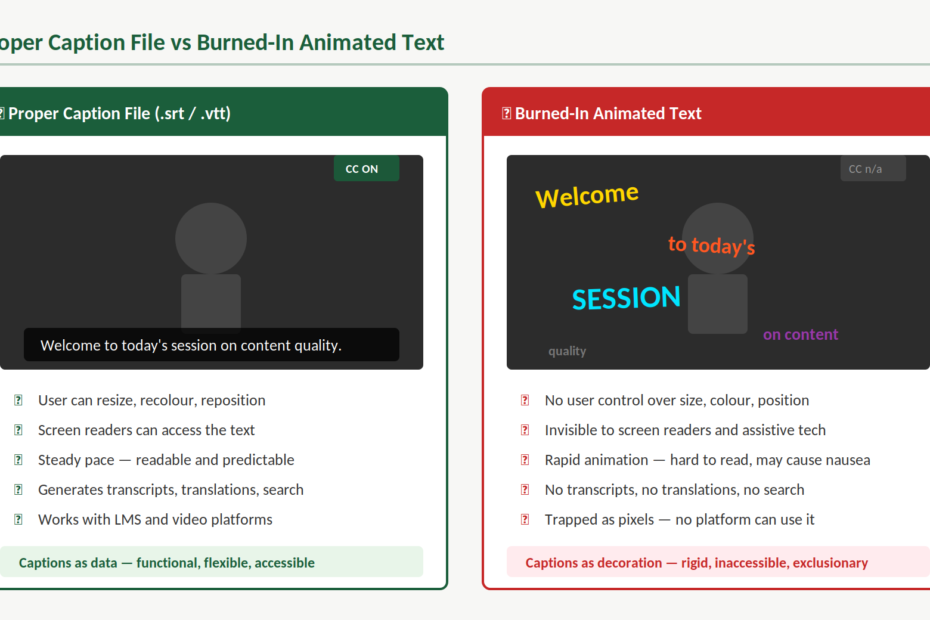
Side-by-side comparison of two approaches to video captions. On the left, labelled "Proper Caption File (.srt / .vtt)", a video player shows steady white caption text on a dark background reading "Welcome to today's session on content quality", with a CC ON button visible. Below it, five green ticks confirm: user can resize, recolour, and reposition; screen readers can access the text; steady pace that is readable and predictable; generates transcripts, translations, and search; works with LMS and video platforms. A summary reads "Captions as data — functional, flexible, accessible." On the right, labelled "Burned-In Animated Text", the same video shows words scattered across the frame in different sizes, colours, angles, and opacities, with no CC control available. Below it, five red crosses confirm: no user control over size, colour, or position; invisible to screen readers and assistive tech; rapid animation that is hard to read and may cause nausea; no transcripts, translations, or search; trapped as pixels with no platform able to use it. A summary reads "Captions as decoration — rigid, inaccessible, exclusionary."

When Captions Become Decoration: Why Animated Text Overlays Are an Accessibility Problem

  • 8 min read

Animated text overlays are everywhere — words bouncing, flashing, and flying across our screens in sync with speech. They look like captions, but they aren’t. When text is burned into a video instead of provided as a proper caption file, viewers lose control, assistive technologies lose access, and accessibility quietly disappears. This article explains why captions are infrastructure, not decoration — and how creators can keep their videos engaging without excluding the people who rely on captions most.

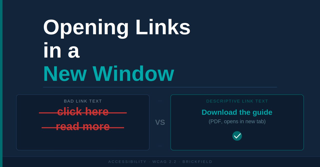
Opening Links in a New Window. It compares poor and good link text: the left example shows “click here” and “read more” crossed out as bad link text, while the right example shows the descriptive link “Download the guide (PDF, opens in new tab)” with a check mark indicating it is the recommended practice.

Opening Links in a New Window: Accessibility Guidance

  • 18 min read

Opening links in a new window or tab is rarely necessary and can create accessibility barriers for many users. For people using screen readers, magnification tools, or those unfamiliar with browser behaviour, unexpected new windows can disrupt navigation and cause confusion. This guidance explains why it is generally better to let links open in the same window, highlights what WCAG 2.2 recommends, and outlines the limited situations where opening a new window may be appropriate. It also provides practical tips for writing clearer, more descriptive links and improving overall accessibility.

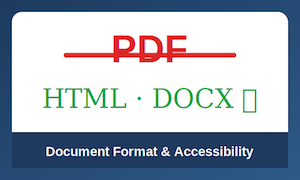
“PDF” crossed out in red above green text reading “HTML · DOCX,” with the subtitle “Document Format & Accessibility.”

Accessible Document Formats

  • 9 min read

Choosing the right document format is essential for creating truly accessible digital content. While PDFs remain common, formats such as HTML and structured DOCX often provide better compatibility with assistive technologies, improved usability, and greater flexibility for diverse learners. This post explores why accessible document formats matter — and how small format decisions can make a big difference in inclusive learning and communication.

a laptop with a Moodle course ("Digital Accessibility Fundamentals") with the NVDA Speech Viewer open showing screen reader output, a blue focus ring on the current activity, and a Windows taskbar.

Tips for Designing Moodle Courses That Work for Screen Reader Users (and Everyone Else)

  • 12 min read

Tips for Designing Moodle Courses That Work for Screen Reader Users (and Everyone Else). When you design for accessibility, you’re designing for better structure, clearer navigation, and less cognitive load. That helps everyone. We know from research that around 80% of people with learning needs don’t declare them — so you can’t wait for someone to ask. You need to design proactively.

why-centred-text-slows-reading-blog-image

Why Centered Text Slows Reading

  • 7 min read

Picture this: you’re trying to read a webpage, but something feels off. Your eyes keep getting lost. You find yourself re-reading the same lines. You’re working harder than you should be just to follow the text.

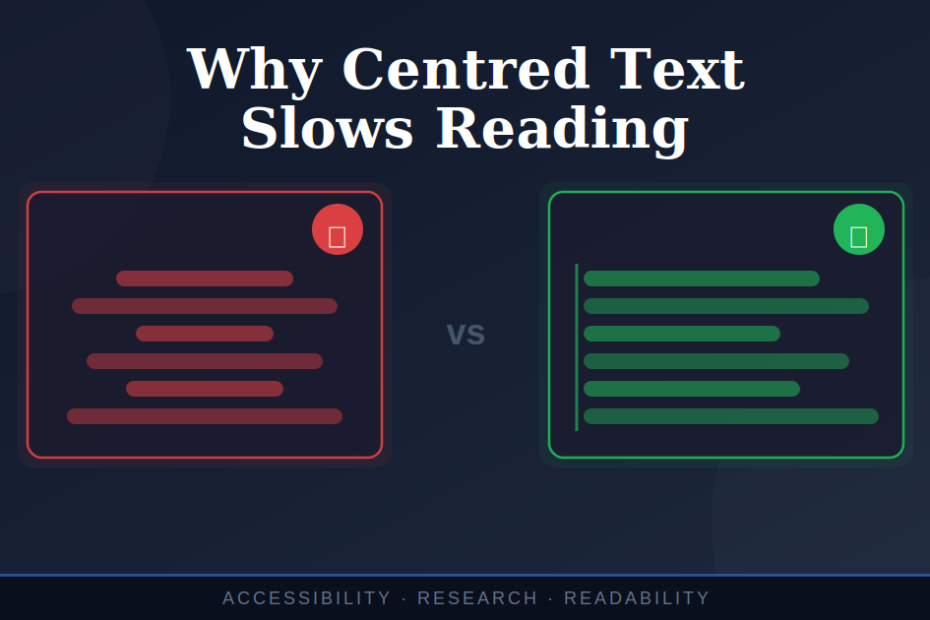
What you’re experiencing isn’t a personal failing. It’s a design problem. And this is key — when text is centred, it breaks the fundamental way our brains process written information.

Fireworks of multiple colours exploding in. the sky.

The Irony of Best Of Videos: Celebrating the Year While Excluding Your Audience

  • 6 min read

As December rolls around, social media feeds fill with slickly produced ‘year in review’ videos. Companies showcase their achievements, milestones, and memorable moments through dynamic montages set to upbeat music. These videos are designed to inspire, connect, and celebrate.

But here’s the uncomfortable truth: many of these celebratory videos actively exclude significant portions of the very audiences they’re trying to reach.

Not through malice, but through design choices that create barriers. And once you recognise those barriers, you can’t unsee them.