Brickfield and ReadSpeaker: Accessibility Across the Whole Moodle Learning Journey
Sometimes reading isn’t practical and a learner needs to listen. Sometimes complex material calls for reading or language support. Some learners rely on assistive technology to access content at all.
That’s why accessibility matters. Passing an audit is part of it, but the real point is removing barriers so every learner gets an equal chance to take part and succeed.
Our partners at ReadSpeaker recently published an article, a video and an infographic showing how our two tools fit across the Moodle learning journey. We’re glad to be part of it. In this post, we take a closer look at what Brickfield does at each stage, from the first draft of a course to the learner’s screen.
Accessibility Takes More Than One Tool
One of the biggest misconceptions about accessibility is that a single product solves it. It doesn’t. Accessible learning needs good content, the right technology, and people who know what they’re doing.
Content has to be created well, checked, fixed and kept in good shape as courses grow and change. Learners need ways to reach that content that suit them. The staff building courses also need the skills to get it right first time. Brickfield works across all three. ReadSpeaker adds a strong layer of reading support on top.
How Brickfield Supports Accessibility, From First Draft to Learner
Brickfield Enable is our accessibility toolkit for Moodle. We work on a find, fix and future-proof basis, and in practice that covers six areas.
Finding and Fixing Barriers in Existing Content
Most institutions already have years of content in Moodle. Our accessibility engine scans that existing content across courses and finds the barriers: missing alt text, poor heading structure, broken links, inaccessible media and more. It reports where the problems are and helps staff fix them, including bulk fixes for common issues.
Each fix also explains what the problem was and why it matters. Over time, staff stop making the same mistakes. The tool builds skills as well as cleaning up content.
Stopping New Barriers at the Point of Writing
New content matters too. Our TinyMCE Advanced Checker works inside the Moodle editor, while content is being written. It runs 96 checks and offers over 90 fixes.
Some fixes are prompts, where the author is asked to confirm a change or add something only they can provide, such as a meaningful image description. Others are automatic fixes that handle the technical work for them. For example, it can mark the top row of a table as headers, or remove empty headings that would confuse screen readers and other assistive technology.
Protecting Learners From Unexpected New Windows
Links that open in a new window without warning disorient many learners, especially screen reader users. Our new Window Catcher detects when a teacher has set content to open in a new window. Instead of letting it happen silently, it catches the link and gives the student a choice: open in the same window, open in a new window, or cancel.
Giving Learners Content in the Format They Need
Brickfield converts course content into alternative formats: MP3 audio, DOCX, ebooks and Braille files. Learners can take content offline, listen on the move, or use the format that works with their own assistive technology.
Helping Learners Use Their Own Devices Better
We also help learners get more from their own device. Many don’t know what their browser can already do for them. Our student guides show them how to use dictation and voice control, change the mouse pointer size, turn on dark mode and more.
Building Skills Across the Institution
Tools only go so far. Brickfield includes 20 hours of self-paced accessibility learning, covering:
- Introduction to accessibility.
- Foundations of accessibility.
- Web accessibility.
- Media accessibility.
- Document accessibility, for both Microsoft and Google tools.
The courses teach staff to build accessible content in Moodle and outside it.
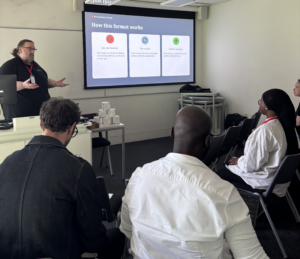
We also run live, synchronous training sessions that our clients’ staff can drop into. They can bring real questions from their own courses and get answers from our team.
How ReadSpeaker Supports Accessibility
ReadSpeaker primarily supports learners by helping them engage with the content. Their text-to-speech and reading tools give learners another way in when they need it. Learners can listen to content as natural audio, translate it, look up words, highlight text while they study, adjust how text looks on screen and use a page mask to help them focus. For educators, it’s a simple way to give every student a more personalised way to learn.
Access needs are often situational. A learner might need audio where reading on screen isn’t workable. Unfamiliar material might call for reading support. Content in a second language might need translation help. ReadSpeaker supports learners in those moments, as well as learners with ongoing needs, including neurodivergent learners, language learners, people with visual impairments and people who find visual processing difficult. Because learners choose how they engage, they work with more confidence and independence. In one of their customer stories, Penn Foster Group saw course completions rise by 54% after adding ReadSpeaker text to speech to its courses.
ReadSpeaker integrates directly into Moodle and, like Brickfield, is a Certified Moodle Integration Plus.
Why the Two Work Better Together
Reading support works best when the content underneath it is well built. Text to speech reads what is there. If an image has no description, there is nothing to read. If headings are missing or empty, the structure a listener relies on isn’t there either.
That is where Brickfield comes in. We make sure content is well built in the first place and stays that way as courses change. ReadSpeaker then gives learners flexible, in-the-moment ways to read, listen to and understand that content.
Together, the two support every stage of the journey, from the first draft through to the learner’s screen. Organisations need good content, ongoing accessibility management and support for learners. Using Brickfield and ReadSpeaker together in Moodle covers all of that.
Find Out More About the Partnership
ReadSpeaker has published several resources on how our tools work together:
- How ReadSpeaker works with Brickfield across the Moodle learning journey (ReadSpeaker blog).
- Accessibility across the learning journey infographic (ReadSpeaker).
- Accessibility across the full Moodle learning journey video (YouTube).
- Certified Integration Plus explainer article.
To see what Brickfield Enable can do for your Moodle site, get in touch with our team for a demo.