The Hierarchy of Effective Learning Content: From Available to Universal
Higher education has a content problem, and Universal Design for Learning (UDL) keeps getting prescribed as the cure. UDL is the right aspiration. It is also the top rung of a ladder — and most institutions are reaching for it without the four rungs beneath. This is the framework I use to fix that.
The ramp tells you everything
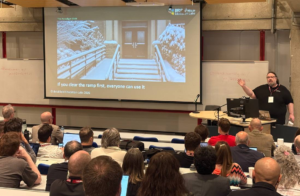
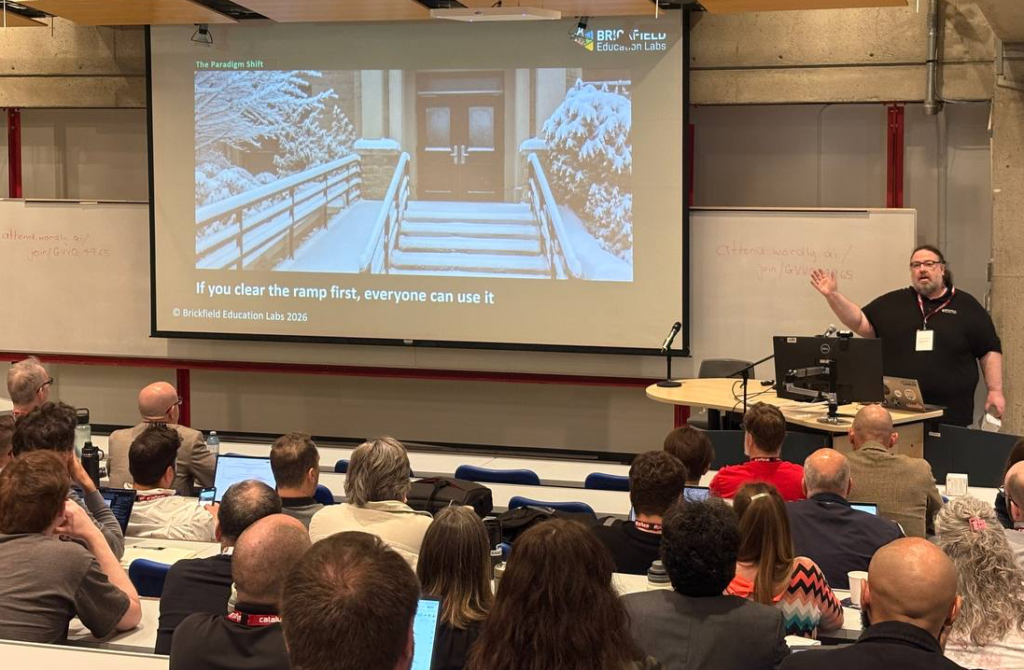
There is a cartoon I keep coming back to. A caretaker is clearing snow from the front steps of a school. A queue of students is waiting at the bottom of the steps. There is also a student in a wheelchair, waiting at the bottom of the ramp.
The student in the wheelchair asks, “Why don’t you clear the ramp?” The caretaker says, “There are more students at the steps. I’ll do those first. You’ll have to wait.”
Then the student says the thing that matters: “If you clear the ramp first, everyone can use it.”
That is the one lesson to take from inclusive learning. You clear the ramp because that is where inclusive learning starts. Everyone can use it from day one. The same logic applies to course content — but most institutions are still clearing the steps and asking the ramp to wait its turn.
The scale of the problem
Because we sell the Brickfield Accessibility Toolkit for Moodle, we see a lot of courses. Most images don’t have alt text. Link text is full of “click here” and “read more”. The basics are missing. When you look at the wider web, nearly 95% of pages fail basic WCAG checks. University and institution sites are no exception.
- 94.8% of the top 1 million web pages fail basic WCAG checks (WebAIM Million 2025)
- 21%+ of US undergraduates report having a disability (CHEPP 2024)
- ~50% of learners are affected by a permanent or temporary barrier once you include life events
Around 21% of people report having a disability. The actual likelihood is that 30 to 40% of your students have a disability — whether they know it or not. Add temporary situations and barrier-inducing life events: a head cold affecting hearing, fatigue affecting focus, stress at home affecting cognition. That pushes the figure close to 50%. Designing for “normal” students is, on the numbers, designing for nobody.
Why UDL alone keeps failing
I am not anti-UDL. It is an excellent aspiration. The problem is that institutions keep reaching for it without the structural conditions beneath, and then wonder why nothing changes. UDL is a roof. You can’t put a roof on without walls.
The Hierarchy of Effective Learning Content sequences the work in five dependent layers. You can’t skip levels. Unmet needs at the base undermine everything above:
- 1 AvailabilityCan the learner reach the content at all — on the device they own, with the connectivity they have, in time to use it?
- 2 AccessibilityDoes the content meet WCAG and work with assistive technology — alt text, headings, contrast, keyboard, captions, tables?
- 3 ReadabilityCan a human being actually read and understand it — line length, spacing, alignment, language, cognitive load?
- 4 AdaptabilityCan the learner change how it is presented — resize, reflow, dark mode, text-to-speech, annotation?
- 5 Universal Design for LearningMultiple means of engagement, representation, and action. The pinnacle — once the foundations hold.
Level 1 — Availability: can they even reach it?
How many of your lecturers give the digital content to students weeks in advance, so they can review it before class? When I was a student, we bought books and read them before the lecture. We arrived already knowing something. Now the slides and digital materials are often only released afterwards. Students arrive cold.
Availability is also about format and infrastructure. Streamed-only video, with no downloadable transcript or printable version, is not available to a student with patchy or no internet. The numbers back this up.
- 37% of UK students lacked a suitable device at some point (Jisc 2024/25)
- 55% experienced wifi connectivity issues
- 30% said travel costs deterred campus attendance
Last week I worked with an institution that launched a set of beautiful new SCORM packages. They were completely unusable on mobile — text too small, buttons too tight to tap. Nobody put accessibility or mobile responsiveness in the procurement RFP. Nobody thought about the end user.
On formats: lead with HTML. DOCX and EPUB next. PDF is a last resort. Unless you are an expert PDF creator you will not produce a fully accessible PDF — full stop. If you don’t know what reflow is, stay away. PDF is great for print. For accessibility it is not.
Level 2 — Accessibility: does it actually work?
Accessibility is often framed as a complicated technical problem. It is not. 96% of errors come from the same small set of issues. The WebAIM Million finds an average of 51 errors per home page. At university course level, we typically find around 2,500 issues per course against 55 checks — and we are about to extend that to 90.
What people don’t know, they don’t do. We see lecturers upload images and mark them as decorative by default — because that’s the path of least resistance. In research we did with one institution — ten courses, over a thousand images marked as decorative — not one of them actually was. That is not accessibility. That is dodging accessibility.
These problems are fixable, but they need training. Most graphic designers I know never had a module on accessibility. Staff are subject-matter experts, not accessibility experts. Support them to find, fix, and future-proof.
Level 3 — Readability: can they understand it?
Content can pass every WCAG check and still be impenetrable. This is where accessibility meets pedagogy. Two of the most common barriers — ALL CAPS and centre-aligned body text — slow every reader down by 12 to 15% individually, and around 25% combined. They look stylish. They are unreadable.
For people with dyslexia — roughly 10% of the population, with up to 1 in 5 affected to some degree — these patterns are actively discriminatory. Dyslexic readers rely on word shape and a regular starting point on the left. ALL CAPS removes word shape. Centre alignment removes the starting point. You are not just slowing your audience down. You are excluding part of it.
Line length matters too. Optimal range is roughly 45 to 75 characters. Too short and reading fragments. Too long and your eye loses its place. Pair that with at least 1.5 line spacing, left alignment, plain language, and you have already done most of the work. Look at the news sites you actually choose to read — narrow column, generous spacing. There is a reason.
Marginalised populations carry higher baseline cognitive loads before they ever open your course. Reducing unnecessary load through plain language and good design is not just better pedagogy. It is an equity intervention.
Level 4 — Adaptability: can they change it?
Adaptability is shifting control from the author to the learner. It is already encoded in WCAG Level AA: resize text to 200% without breaking. Reflow at 400% zoom without horizontal scroll. Survive a user-imposed text-spacing override without breaking the layout.
Fixed-layout formats can’t meet these criteria. Try zooming into a PDF on your phone — you scroll back and forth on every line. That is not adaptable. Reflowable formats — HTML, DOCX, EPUB — make adaptability possible.
But the technology has to meet the learner halfway, and the learner has to know how to use it. Almost no one has completed a training course on their own browser, yet the browser is the most-used piece of software on every device. Read-aloud, immersive reader, dark mode, translate, font scaling — all built in, all free. Students don’t know about them. So we teach them. That is part of what we do, and it is part of what every institution should do.
Level 5 — Universal Design for Learning: the pinnacle
Once the other four levels are right, now you can do UDL. Now you can offer different assessment formats. Different modes of delivery. Collaboration. The Why (engagement), the What (representation), and the How (action and expression) all become tractable, because you have the foundations to stand them on.
The research backs this up. Full UDL implementation correlates with a roughly 37% increase in overall learner performance, and around a 43% increase for previously disengaged learners — the gains are largest for the learners who need them most. But the gains arrive when all three principles are applied together. It is a framework, not a menu.
From accommodation to anticipation
In the past, accessibility meant accommodating people with disabilities after they had hit the barrier. The shift is from accommodation to anticipation — looking forward, assuming every barrier is present, and dealing with it before the learner ever meets it. The reactive model doesn’t scale. UDL designs for variability from the outset. Clear the ramp first.
Our philosophy at Brickfield is find, fix, future-proof. Find the issues with tooling. Fix them in bulk. Future-proof through training — when we sell our toolkit, we include unlimited accessibility training for every member of staff. Faculty, IT support, and especially HR and marketing, who in our experience usually need the biggest hug.
Seven things you can actually do
This is not about creating heroes. It is about building a habit. A new way of working. Here are seven recommendations, in order.
- Start with the foundation. Audit availability — formats, mobile responsiveness, LMS access, timely release.
- Embed WCAG AA as your baseline. Make it operational. Support staff to find, fix, and future-proof.
- Treat readability as a design requirement. Left-aligned, sans-serif, generous spacing, plain language.
- Prioritise reflowable formats. HTML or DOCX by default. PDF only when print is the explicit goal.
- Move from accommodation to anticipation. Bake UDL checkpoints into templates and quality assurance, not into bolt-on remediation.
- Invest in five enablers. Support, professional development, technology, collaboration, and inclusive assessment.
- Measure, report, and iterate. Share progress. Share mistakes. That honesty is what builds trust.
Behind every statistic
Don’t forget: behind every statistic is a student. We are talking about people. About humans. You are the people creating the content, designing the programmes, supporting the students. And the students are people. They are not a disability profile.
“Disability is a conflict between someone’s functional capability and a world that we have constructed. If we choose not to create barriers, then we are not disabling somebody.”
Sarah Horton and Whitney Quesenbery, A Web for Everyone
Imagine a world where learning is accessible to everyone. That is the framework. That is the work. No one is at the top of that mountain. We are all on the journey — and it is the next year of actions that matters.
Get the resources
We will be publishing this hierarchy as a 12-page accessible PDF and an 80-page research-backed manifesto over the coming weeks, along with free workshop resources at every level. You can also score your own institution against the framework using our self-assessment. All of it will be at brickfield.ie.
If you would like to talk about any of this — what the hierarchy means for your institution, where to start, or how the Brickfield Toolkit fits — get in touch. We work with institutions across Europe, North America, and Australia, and we are always happy to share what we have learned.