Skip to content

Events

Past, present and future events! Check them out...

Upcoming Events

Who needs transcripts? Online Training & Accessibility.

Transcripts Are Not a Nice-to-Have. They Are the Session.

Online training without a transcript is not fully accessible — it never was. When a session ends with no written record, it quietly excludes a significant proportion of learners: people who are Deaf or hard of hearing, those with auditory processing differences, ADHD, working memory difficulties, non-native speakers, and many others. Most of these needs are invisible to a facilitator; participants won’t announce them, they’ll simply get less from the session — or not attend at all. Transcripts aren’t a special accommodation. They’re part of how good training works.

Accessible Content for Moodle Conference - June 28th 2021

On June 28th, 2021, we ran our first online conference. Thank you to everyone who took part in our Accessible Content for Moodle Online Conference. We were delighted to have such an amazing line-up of sessions.

Thanks to our Speakers

Session Recordings

Morning Sessions

Afternoon Sessions

Recap Blogs

Who needs transcripts? Online Training & Accessibility.
Guides

Transcripts Are Not a Nice-to-Have. They Are the Session.

Online training without a transcript is not fully accessible — it never was. When a session ends with no written record, it quietly excludes a significant proportion of learners: people who are Deaf or hard of hearing, those with auditory processing differences, ADHD, working memory difficulties, non-native speakers, and many others. Most of these needs are invisible to a facilitator; participants won’t announce them, they’ll simply get less from the session — or not attend at all. Transcripts aren’t a special accommodation. They’re part of how good training works.

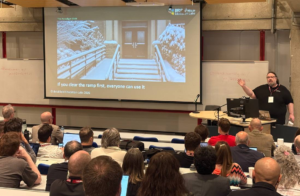
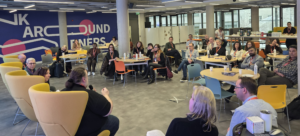
Attendees seated at Trinity Business School, Dublin, watching the expert panel discussion. The panel members are visible in the foreground seated facing the attendees: Gavin Henrick, CEO and Co-Founder of Brickfield Education Labs; Madeline Murray, National Coordinator at Oide Technology in Education; Rosa Doran, President and Founder of NUCLIO; and Alan Culbert, Deputy Principal of Edmund Rice College.
Events

Brickfield at TD3C: Reflections from the Panel

Earlier this week, Brickfield Education Labs co-founder and CEO Gavin Henrick joined the expert panel at Empowering Teachers to Create Digital Content, the closing event of the TD3C project in Dublin. Here he shares his reflections on the day and his fuller thoughts on accessibility, copyright, and what it really means to put teachers at the centre of digital education.

a laptop with a Moodle course ("Digital Accessibility Fundamentals") with the NVDA Speech Viewer open showing screen reader output, a blue focus ring on the current activity, and a Windows taskbar.
Guides

Why Accessibility Overlays Fail

Accessibility overlays promise a fast, low-cost path to compliance — but growing evidence from regulators, accessibility experts, and disability organisations shows they often fail to deliver. This article examines why overlays don’t fix underlying accessibility barriers, how they can interfere with assistive technologies, and why legal and regulatory bodies increasingly reject them as a compliance solution. More importantly, it outlines what genuine, sustainable digital accessibility actually requires.

ALL CAPS” are crossed out in red above “Mixed Case ✓” in green, with the caption “Typography & Accessibility” below.
Guides

Why ALL CAPS Text Creates Reading Barriers

Why ALL CAPS Text Creates Reading Barriers The research is clear: capitalising text doesn’t help readers — it hinders them Picture yourself reading a paragraph

Side-by-side comparison of two approaches to video captions. On the left, labelled "Proper Caption File (.srt / .vtt)", a video player shows steady white caption text on a dark background reading "Welcome to today's session on content quality", with a CC ON button visible. Below it, five green ticks confirm: user can resize, recolour, and reposition; screen readers can access the text; steady pace that is readable and predictable; generates transcripts, translations, and search; works with LMS and video platforms. A summary reads "Captions as data — functional, flexible, accessible." On the right, labelled "Burned-In Animated Text", the same video shows words scattered across the frame in different sizes, colours, angles, and opacities, with no CC control available. Below it, five red crosses confirm: no user control over size, colour, or position; invisible to screen readers and assistive tech; rapid animation that is hard to read and may cause nausea; no transcripts, translations, or search; trapped as pixels with no platform able to use it. A summary reads "Captions as decoration — rigid, inaccessible, exclusionary."
Guides

When Captions Become Decoration: Why Animated Text Overlays Are an Accessibility Problem

Animated text overlays are everywhere — words bouncing, flashing, and flying across our screens in sync with speech. They look like captions, but they aren’t. When text is burned into a video instead of provided as a proper caption file, viewers lose control, assistive technologies lose access, and accessibility quietly disappears. This article explains why captions are infrastructure, not decoration — and how creators can keep their videos engaging without excluding the people who rely on captions most.

Opening Links in a New Window. It compares poor and good link text: the left example shows “click here” and “read more” crossed out as bad link text, while the right example shows the descriptive link “Download the guide (PDF, opens in new tab)” with a check mark indicating it is the recommended practice.
Guides

Opening Links in a New Window: Accessibility Guidance

Opening links in a new window or tab is rarely necessary and can create accessibility barriers for many users. For people using screen readers, magnification tools, or those unfamiliar with browser behaviour, unexpected new windows can disrupt navigation and cause confusion. This guidance explains why it is generally better to let links open in the same window, highlights what WCAG 2.2 recommends, and outlines the limited situations where opening a new window may be appropriate. It also provides practical tips for writing clearer, more descriptive links and improving overall accessibility.

Get notified about upcoming events!

Subscribe to our newsletter